


New MSc students
Welcome to the Department!
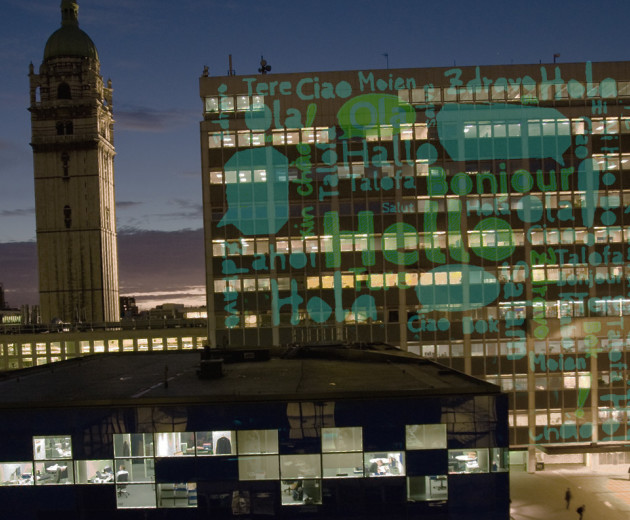
Whether you're starting here on campus, on joining us online, we're looking forward to meeting you this autumn!
Department contacts
Meet our department's MSc contacts.
Useful links
- Arrival in the UK - All the things you might need to know when you arrive in the UK from overseas, whether you are just beginning your course or you are already a registered student and this is the first time you have been able to come to the country).
- Virtual tour - a 360 Virtual Tour of Imperial. Get familiar with the campus before you arrive.
- PG Safety Induction Presentation - Please familiarise yourself with the Health and Safte procedures.
Information for MSc students starting in October
Induction Schedule 2021
This is the departmental Induction Timetable
Due to capacity, Postgraduate students should only be in the EEE departmental building in the afternoon from 1pm onwards. However, students are encouraged to use any of the on-campus facilities, such as the library, cafes or common rooms, to take part in the morning online events. Monday 4 October |
|||
|
Time |
Event |
Mode |
Location |
|
10 - 11 |
|
Online recorded |
|
|
2 – 2.50 |
EEE Welcome Talk - New EEE PhD and MSc Students
|
On Campus and Online |
|
|
3 – 4 |
MSc Programme Meetings - find out more about the course and to raise any questions regarding timetables, exams, projects etc.
|
On Campus and online |
|
|
4pm |
Collect ID cards from SRGAs (Safety form must be completed first) |
On Campus |
Rooms from above |
|
|
Tuesday 5 October |
|
|
| 11 - 12 |
MSc Control student only
|
Online Live | Instructions to be sent via your Imperial email |
| 2 - 3 |
Active Bystander with speaker Scott Solder The Active Bystander training programme aims to empower staff and students across the College community to challenge poor behaviours and bring about cultural change through the reinforcement of messages defining the boundaries of unacceptable behaviour. |
Online Live | Join the session via this Teams link |
| 3.30 - 5 |
Positive Communication with speaker Scott Solder Equipping delegates with skills to communicate positively, manage/prevent conflict, manage expectations, communicate assertively, hold difficult conversations and negotiate constructively (verbal and email) |
Online Live | Join the session via this Teams link |
| 10 - 4 | Student Union Freshers Fair | On Campus | Check your My Imperial App |
|
|
Wednesday 6 October |
|
|
| 1.30 - 2.30 |
MSc Lunch Social
|
On Campus |
|
|
|
Thursday 7 October |
|
|
| 10 - 10.45 |
Postgraduate Services - Induction
|
Online Live | Join the session via this Teams link |
| 10.45 - 11 |
|
Online recorded | Centre for Academic English welcome video |
| 10.45 - 11 |
|
Online recorded | Graduate School Welcome Video |
| 11 - 12 | Wellbeing session - ‘How to do well and feel well’ with Kelly Greenwood | Online Live | Join this session via this Team Link |
| 1.30 - 2.30 |
Women in Engineering Lunch Social
|
On Campus | Room 305 |
Wednesday 13th October |
|||
| 1.30 – 2.30 |
With Alexandra Martins Dos Santos (Compulsory) |
Online Live | Join the meeting via Teams here |
|
Keep in mind these upcoming help sessions throughout the year. June 2022 – Mastering Presentations: Informational Posters – Layout and Design. Tuesday 8 June, 1 - 2.30, via MS Teams – All MScs January or June 2022 - MSc Project support sessions. You only need to attend one of the sessions. Information to be sent closer to the time. August 2022 - MSc Turnitin support sessions. Information to be sent closer to the time. |
|||
Joining the EEE department - Everything you need for week 1
Imperial College Welcome Season
- Imperial has a lot of different events and activities to get involved with during October's Welcome Season Download the 'Welcome to Imperial' app in the App Store or Google Play for most up to date information.
EEE Welcome Week Timetable - starting Monday 4th October
- The EEE Department also organises our own welcome programme. Timetable to be uploaded shortly.
EEE Course information
- The MSc A-Z List is where you will find the most important information for yur studies in the department. Please bookmark this page.
- Make sure you take some time to read through the MSc Handbook 2021 - 2022 (pdf). It is full of useful general information about the Department and about Imperial.
Before you start - registration, email, College services
- You should activate your college account. Any communications from the 1st October '20 will be only via your College email account.
- You must register online before starting your course. You will be asked to upload your photograph which will feature on your student ID card. You will not be issued your student ID card if you do not upload a photo in time or do not complete day 1 safety induction.
- Imperial Mobile app will give you access to College information and services, including your programme timetable, College emails and a library catalogue search tool.
Learning Resources
MATLAB
There may be a need for you to use MATLAB during your MSc course. These tutorials from the web and YouTube may be helpful to you:
http://www.mathworks.com/academia/student_center/tutorials/launchpad.html
http://www.youtube.com/profile?user=MATLAB&annotation_id=annotation_736368&feature=iv
http://www.math.utah.edu/lab/ms/matlab/matlab.html
Another good way for a novice to get started is to open one of the demos within MATLAB and work through it step-by-step (you simply need to type “demo” or “help” in the command window to get to the demos).
Linear Algebra
These notes on Linear Algebra will assist students on the Control Systems and Future Power Networks MSc courses. It might be worth studying these before you arrive.
Library
Textbooks
Many modules have an associated reading list. Items on the list should be designated CORE or SUPPLEMENTARY. CORE items are considered to be the most useful by the lecturer and the Library aims to provide multiple copies of these based on students numbers. The College Library aims to have 1-2 copies of SUPPLEMENTARY items. Reading list information is usually provided as part of the individual module descriptors and/or through Blackboard (some lecturers may provide this information during the lectures). Please see the Module Catalogue for links to the module descriptors.
Microsoft Teams for lectures
Information and instructions for using Microsoft Teams.